



















What does a Chili Piper integration do on a website?
A Chili Piper integration connects your website's demo form to Chili Piper's inbound routing, so qualified visitors book a meeting the moment they submit. In Chili Piper's terms, the form triggers a Concierge router, which reads the submitted fields, applies your rules and shows a calendar or a different outcome.
- Qualify: rules check answers such as company size, region or use case.
- Route: the meeting goes to the right rep, team or round-robin pool, and Chili Piper can look up account ownership in your CRM.
- Schedule: the calendar opens on the same page, so there's no wait for an email.
- Handle the rest: visitors who don't meet the rules see a different outcome, such as a message, a link or a different meeting type.
The website's part is a form that sends the right fields, a trigger that fires on every successful submit, and a page that looks right while the calendar is open. The sales part is the routing logic, which your RevOps or sales lead owns. We agree both before building, since the form fields have to match the router's mapping exactly.
Is Chili Piper worth it over a plain booking link?
Chili Piper is worth it when inbound volume and sales team size make manual routing slow or unfair. If one founder takes every call, a simple scheduler does the job. The table shows where each approach fits.
Approach | Fits when | Limits |
|---|---|---|
Booking link or embed | One person or a small team takes every demo | No qualification, everyone sees the same calendar |
Scheduler with routing forms | A few paths based on simple answers | Less suited to CRM ownership rules and complex round-robins |
Chili Piper on the demo form | A sales team with territories, ownership and qualification rules | More setup, a paid tool and a router to maintain |
Form, then sales replies by email | Low volume or very high-touch deals | Slow, and interested visitors cool off while they wait |
If you're earlier on, our Calendly integration page covers the lighter option. Either way, the demo page itself does most of the work, which is why our guide on the demo request conversion rate starts with the page, not the tool.
How does Chili Piper connect to forms on Webflow, Framer and Next.js?
Chili Piper connects to a form through a snippet from the router's embed settings. Its help center documents snippets for marketing automation forms such as Marketo and HubSpot, and a JavaScript call, ChiliPiper.submit, that passes form values to a router from a custom form. Which one you use depends on whose form sits on the page.
Form on the page | Webflow | Framer | Next.js |
|---|---|---|---|
HubSpot or Marketo embed | Embed element plus Chili Piper's snippet | Embed component plus Chili Piper's snippet | Client component with both scripts |
Platform's own form | Custom code that calls Chili Piper after a successful submit | Custom code or a code component, check current form events | Not applicable |
Custom coded form | Possible with custom code | Possible in a code component | Our usual choice: form state passed straight to ChiliPiper.submit |
Field mapping control | Medium | Medium | Full |
On Next.js we build the form ourselves, send it to the CRM from the server, and call Chili Piper in the browser with the same values once the submission succeeds. That keeps the CRM record and the routing decision in step. Our guide to forms and integrations on Next.js marketing sites covers the pattern. Snippets change, so we always copy the current one from the router's embed settings rather than reusing old code.
How should a demo form be designed for Chili Piper?
Design the demo form around the questions your routing actually uses, and nothing else. Every field should either route the lead or help the rep prepare for the call.
Pros
- A work email lets Chili Piper and your CRM match the visitor to an existing account
- One or two qualifying dropdowns, such as team size, route reliably
- Clear labels and inline errors stop failed submits that never trigger the router
- A heading over the calendar, such as 'Pick a time with our team', explains what just opened
Cons
- Free-text fields can't drive routing rules, so they add effort without changing the outcome
- Fields the router expects but the form doesn't send break routing quietly
- Long forms before the calendar make the instant booking feel less instant
- A calendar that opens over a cluttered page, chat bubble or banner gets dismissed
Our guides to landing page form design and accessible forms cover labels, errors and how many fields to ask for.
What happens to visitors who don't qualify?
Visitors who don't meet your rules should still get a clear, useful next step. A disqualified lead might be a student, a competitor, a company too small for sales, or someone who wants support rather than a demo.
- Self-serve path: link to the free trial, signup or pricing page.
- Lighter meeting: a group demo or a shorter call with a different team.
- Support path: send existing customers to help docs or the support inbox.
- Honest message: say what happens next, for example that you'll email them resources.
Hypothetical example: three outcomes from one form
For example, suppose a B2B analytics startup routes on company size and role. Companies over 100 people see the calendar of the account executive who owns their territory. Companies under 100 see a round-robin of the startup sales team. Visitors who choose 'Student or researcher' see a thank-you message with a link to the free plan. One form, three outcomes, and nobody sees a dead end.
What are the common Chili Piper integration mistakes?
Most problems happen between the form and the router, where nothing visibly breaks. These are the ones we test for.
- Mismatched field names: the router expects one name and the form sends another, so every lead falls into the default route.
- Trigger fires too early: Chili Piper opens before the CRM submission succeeds, so a booking exists without a contact.
- Trigger never fires: a redesign changed the form, and the snippet no longer finds it.
- Lost attribution: UTMs and the CRM tracking cookie don't travel with the submission. See our guide to UTM parameters.
- Tracking the wrong step: form submits counted as demos, while booked meetings aren't counted at all.
- Scripts everywhere: the Chili Piper script loaded site-wide instead of on pages with a demo form.
How do we set up Chili Piper on your site, and what does it cost?
Review the routing
We go through your router rules with RevOps and list every field the form must send.
Design the form and outcomes
The demo page, form, calendar state and the no-match outcomes are designed together.
Wire it up
Form, CRM submission, Chili Piper trigger, UTMs and conversion events on Webflow, Framer or Next.js.
Test each route
One test submission per rule, checked in Chili Piper, the CRM and analytics.
Hand over
A note on which fields the router depends on, so future form changes don't break routing.
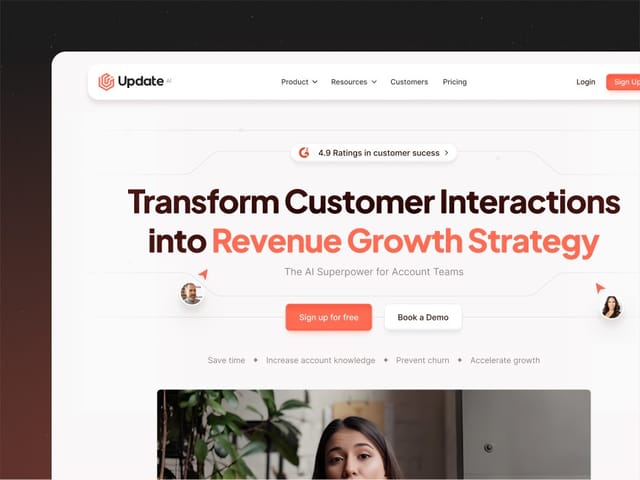
Chili Piper setup is part of our website package, $8,000 fixed for up to six pages including copy, design and the build. You need your own Chili Piper subscription, so check their current plans. We designed and built Update.ai's marketing site. If Salesforce is your CRM, see our Salesforce integration page, and for HubSpot, our HubSpot integration page. The next step is a free 30-minute call.